
Mac OS Print Troubleshooting
MacOS Print Troubleshooting
If you were able to print last year, we need to clear your old login credentials from your device's keychain. Run this script to clear the old username and password from your Mac, click here.
A driver also needs to be installed on MacOS devices, an installer can be found here.
Once that script has been run and the driver has been installed, try and print with your existing print queue, for example FollowMe or ArtsTech.
Attempting to print brings up a window that asks for a username and password. Enter curric.monbulk-co.wan\USERNAME and your password, tick the box that says Remember this password in my keychain. 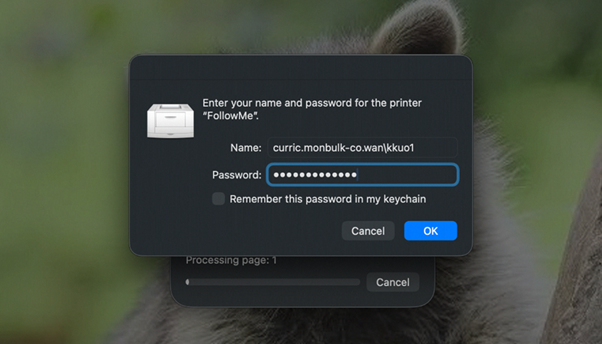
© Monbulk College